Inuvo Internal Employee Portal
Inuvo needed one place for people, policies, and forms as it merged with a California company. I designed and built it in four weeks.
Project receipts
- Role
- I led. Sole designer and developer
- Team
- Just me. The COO, HR, and the Creative/Marketing Director were my stakeholders.
- Timeline
- Four weeks, concept to launch
- Tools
- Figma, WordPress, PHP
- Platform
- Web, internal
- Result
- 92% fewer HR information requests in the first three months
HR was the answer to everything.
Inuvo was merging with a company based in California. Overnight, people in several offices needed to learn who worked where, what the policies said, and where the forms lived. Most of those answers sat with HR, so routine questions turned into HR's workload.
The short version: With no self-serve place for basic company information, every routine question landed on HR.
One person, kickoff to launch.
I was the only designer and the only developer. I led the kickoff with the COO, HR, and the Creative/Marketing Director, decided what the portal needed to hold, designed it, built the site and its backend, and coordinated feedback and approvals through launch.
The short version: Being the only designer and developer meant I also had to keep three stakeholders aligned from kickoff to launch.
Ask the people who get the questions.
The research was the kickoff. I sat down with the COO, HR, and the Creative/Marketing Director and worked out what employees needed most and what had to ship in four weeks: an employee directory, an org chart, the handbook, forms, and a resources hub.
The short version: The people who answered employees' questions every day gave me the requirements.
One place, one search box.
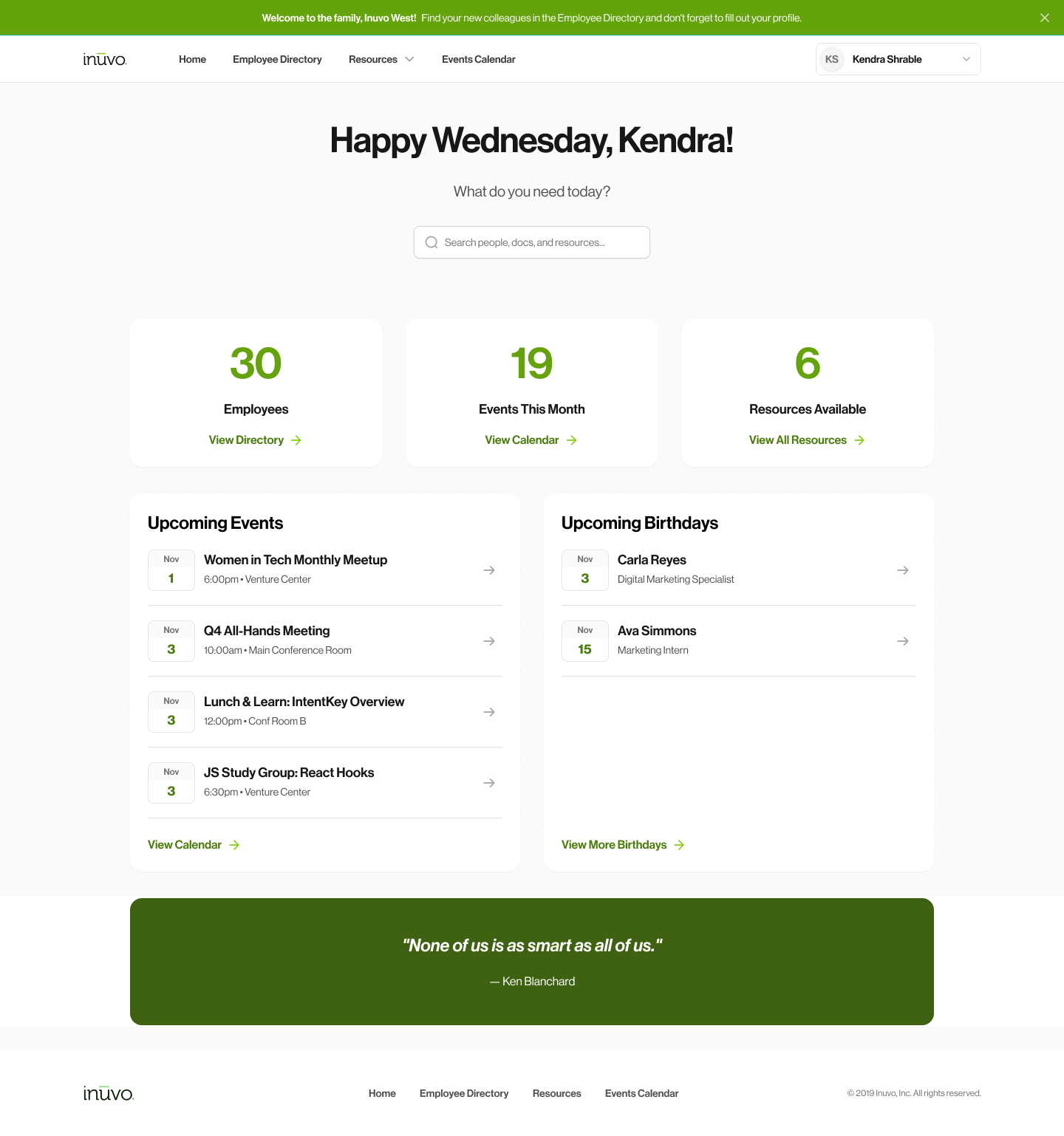
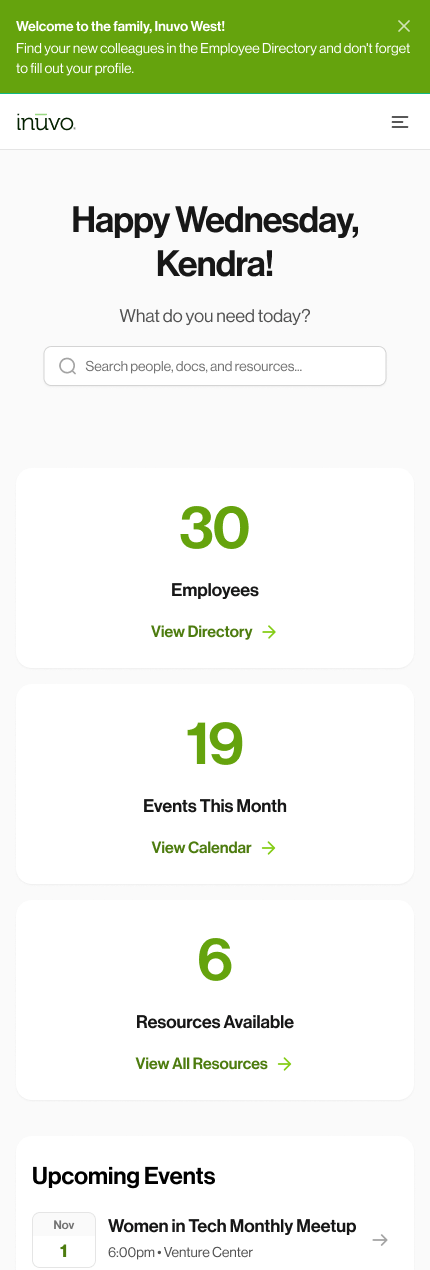
The home page opens with a single question, "What do you need today?", and one search box that covers people, documents, and resources, so nobody has to know which section something lives in.
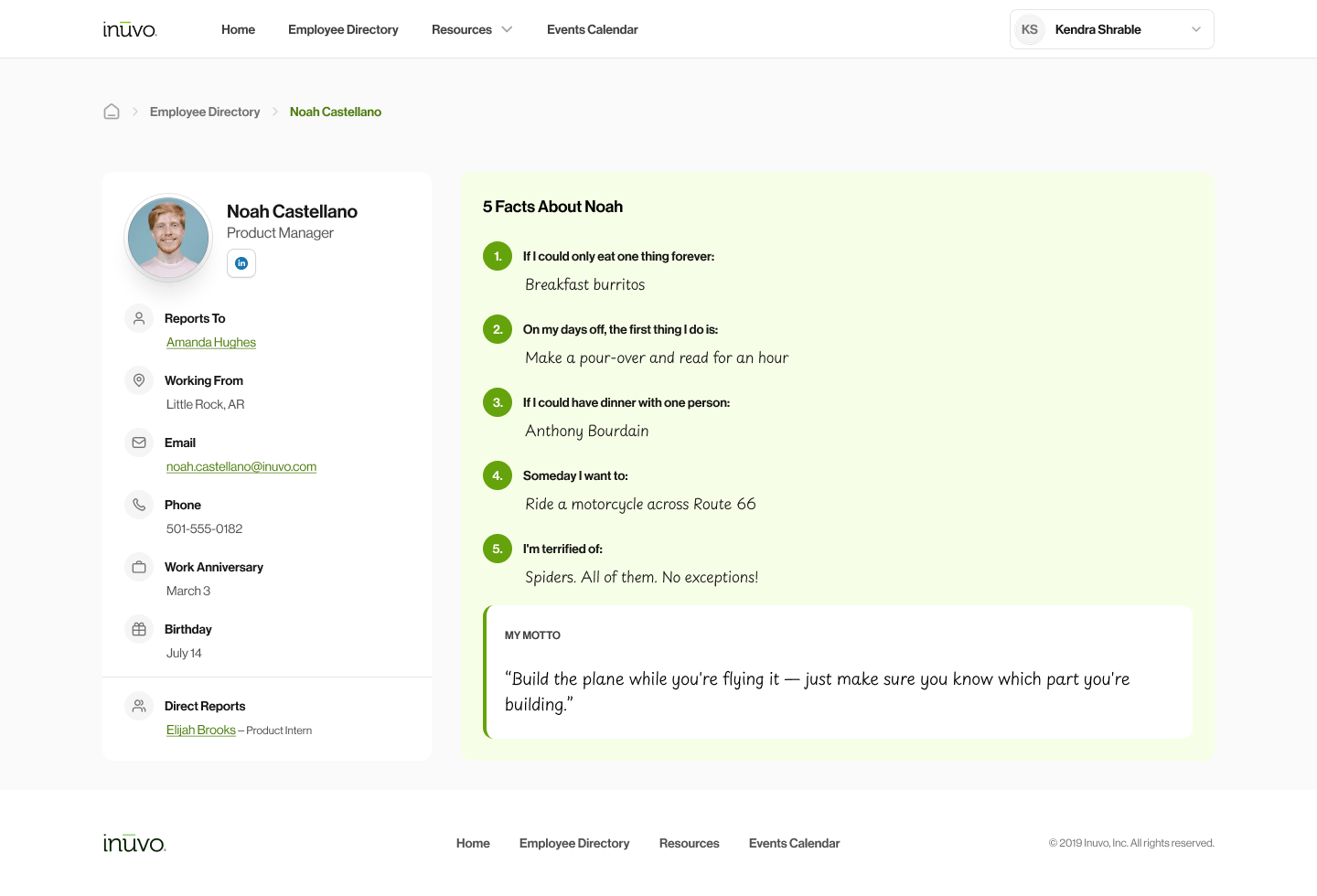
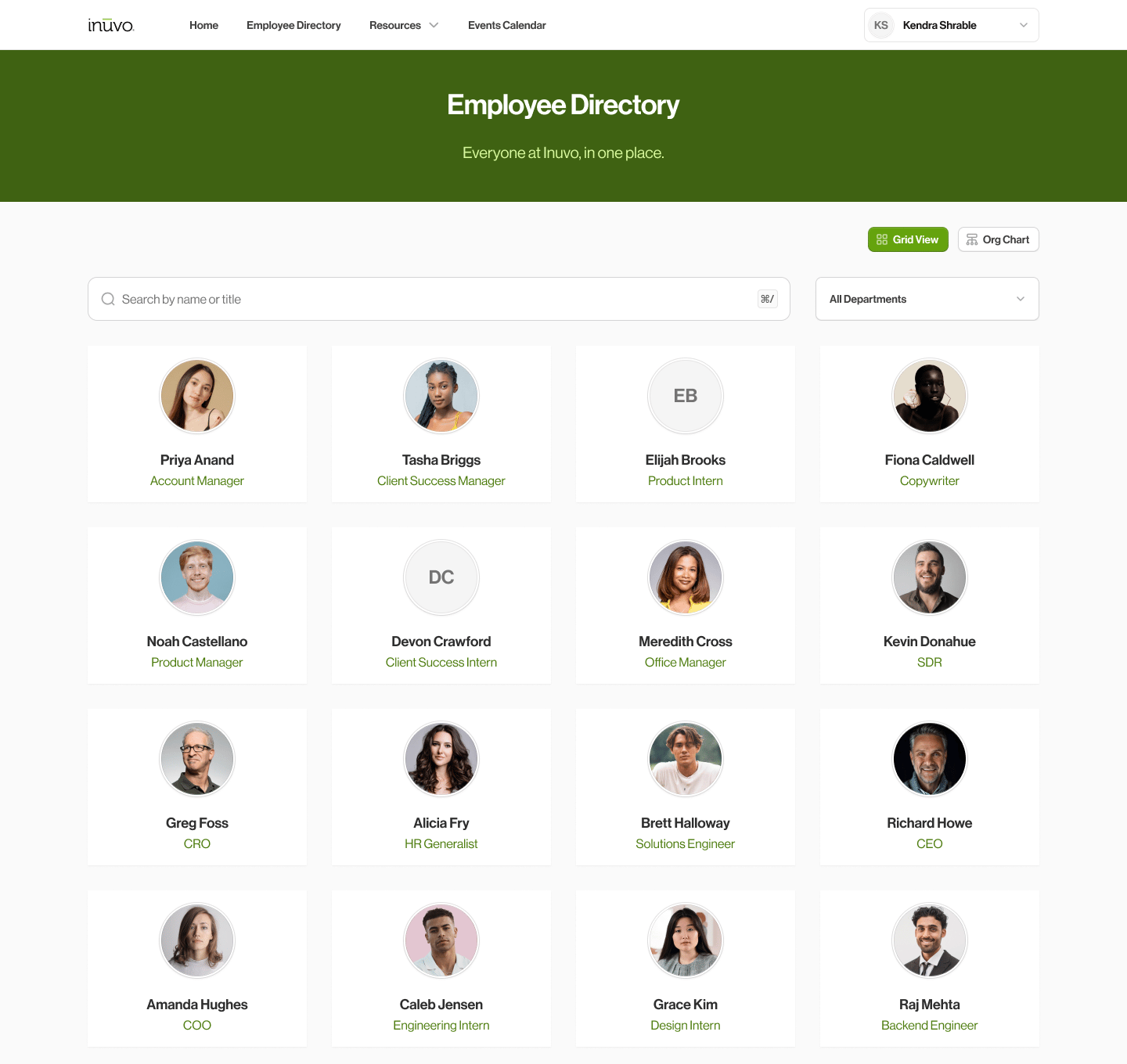
The directory switches between a grid and an org chart, with search by name or title and a department filter. Each profile is built from WordPress custom fields, so one edit updates the live page instead of rebuilding anything by hand. A "5 Facts" section on every profile gives a new hire something to talk about on day one.
I also built an events calendar with day, week, and month views, each on its own keyboard shortcut.
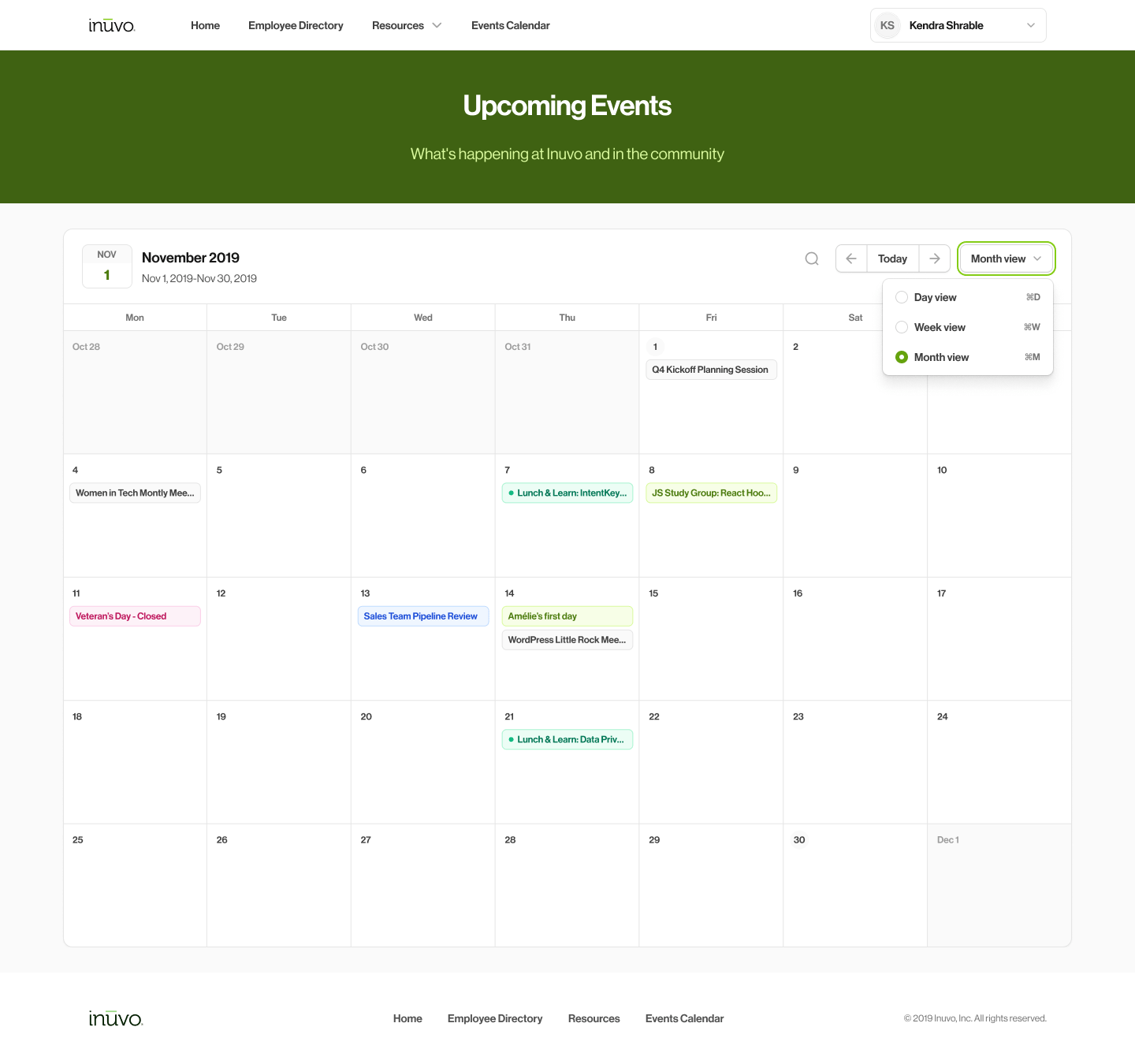
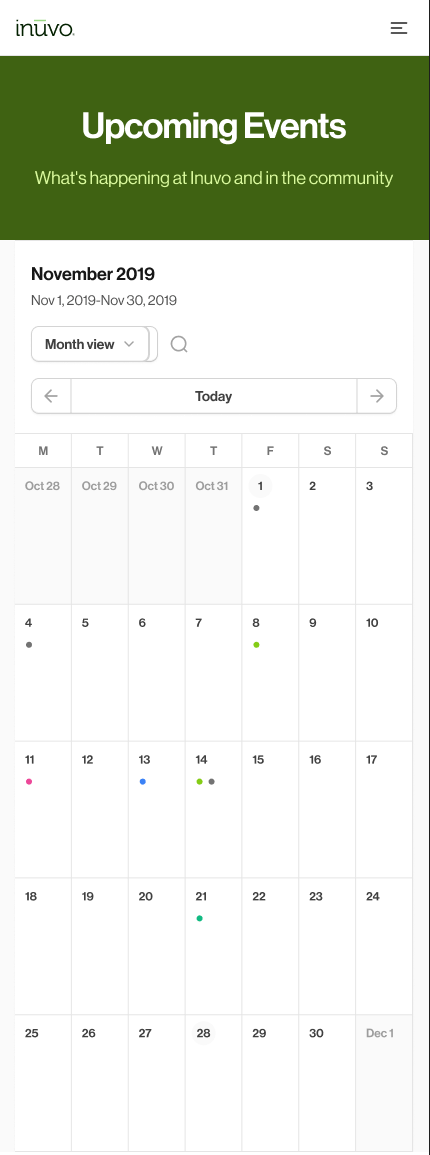
The short version: One search box on top, and a directory that stays current without anyone rebuilding a page.
Did it work?
92%
fewer HR information requests in the first three months
The portal launched on time with no reported issues, and in the first three months HR saw 92% fewer requests for information.
The short version: Putting the answers in one place took most of the routine questions off HR's plate.